
Trending Games
Most popular games played right now














New Games
Freshly added games ready to explore




Adventure Games
Best Adventure games online










Shooting Games
Best Shooting games online





Google Games
Best Google games online


Sports Games
Best Sports games online



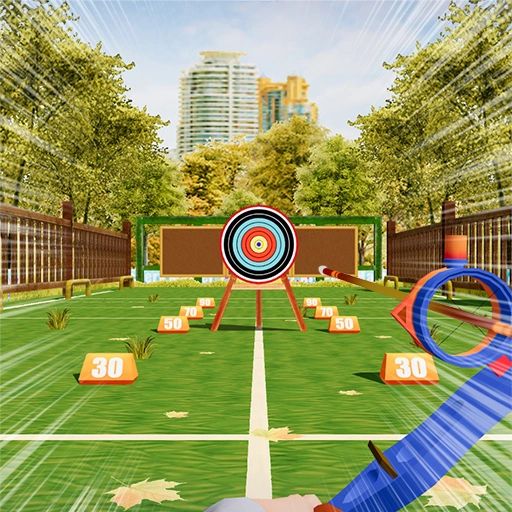
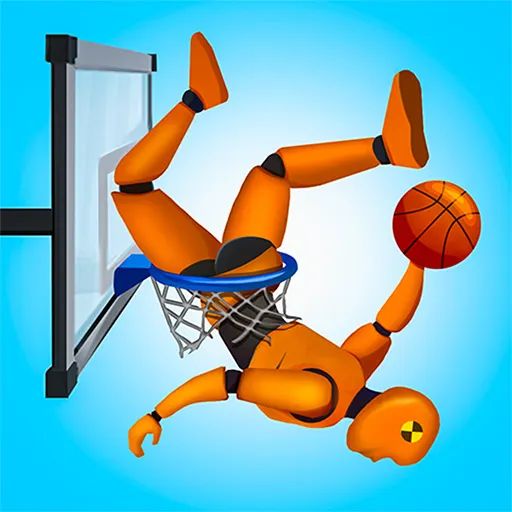

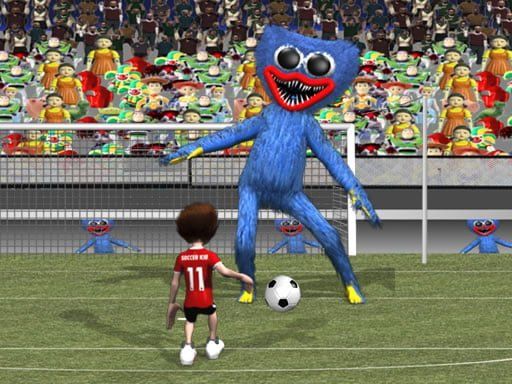
All Games Catalog
Explore hundreds of free online games

About Unblocked Games WTF
UBG WTF – Unblocked Games, Free Online Games & New Browser Games
Welcome to UBG WTF, a browser gaming destination created for players who enjoy discovering unblocked games, free online games, and a wide variety of browser-based entertainment.
If you are searching for games unblocked, free unblocked games, online games unblocked, or simply looking for a new game to play without installing large software, UBG WTF offers a convenient place to explore different genres.
Browser gaming has changed significantly over the years. What started with simple arcade and puzzle games has developed into a huge ecosystem of racing games, sports games, action games, multiplayer experiences, adventure games, strategy titles, platform games, simulation games, and many other genres.
UBG WTF brings many of these experiences together in one easy-to-browse collection.
Whether you have a few minutes for a quick arcade game, want to challenge yourself with a puzzle, prefer racing games, or want to compete with other players in a multiplayer title, there are plenty of options to explore.
The platform features a large collection of browser games organized into categories, making it easier to find something that matches your interests.
What Is UBG WTF?
UBG WTF is an online browser gaming platform focused on providing access to a broad selection of games.
The name is commonly associated with searches for Unblocked Games WTF, ubgwtf, and other variations related to unblocked browser gaming.
The main concept is straightforward: make it easier for players to discover games that can be played through a web browser.
Instead of downloading a large game installer, players can choose a game from the website and start playing through their browser when the individual game supports their device and browser.
The platform includes many different categories, giving users the opportunity to move from one genre to another without leaving the same gaming destination.
You might start with a racing game, switch to a puzzle, try a sports title, and then explore a multiplayer game.
That variety is one of the main advantages of a large browser-game collection.
What Are Unblocked Games?
The phrase unblocked games is widely used online to describe browser games that are accessible in environments where some gaming websites may otherwise be restricted.
Players commonly search for:
unblocked games
games unblocked
unblocked game
free unblocked games
unblock game
game unblocked
free games unblocked
online games unblocked
new unblocked games
unblocked free games
fun unblocked games
games online unblocked
unblock games
fun games unblocked
These searches generally indicate that users are looking for convenient browser-based entertainment.
However, whether a website or game can be accessed depends on the network, device, location, and applicable policies.
If you are using a school, workplace, or managed network, always follow the rules established by the network administrator.
Why Are Unblocked Games Popular?
There are several reasons why people enjoy browser games.
Easy Access
Browser games are convenient because many can be played directly through a web browser.
You do not necessarily need to install a traditional desktop application.
Large Variety
A good browser game collection can contain hundreds or thousands of different titles.
This gives players more opportunities to discover something new.
Short Gaming Sessions
Many browser games can be played in short sessions.
If you have ten or fifteen minutes, you can choose an arcade game, puzzle, racing game, or casual title.
Different Genres
Browser gaming is not limited to one type of experience.
You can find:
- Action games
- Adventure games
- Arcade games
- Racing games
- Sports games
- Puzzle games
- Shooting games
- Multiplayer games
- Platform games
- Strategy games
- Simulation games
- IO games
- Casual games
UBG WTF and Browser Gaming
Browser games are games designed to run through a web browser rather than requiring a traditional standalone installation.
Modern browsers support technologies that allow developers to create surprisingly sophisticated gaming experiences.
HTML5, JavaScript, WebGL, and WebAssembly have all helped expand the capabilities of browser gaming.
As a result, today's browser games can include detailed graphics, physics, multiplayer systems, character progression, competitive gameplay, and complex game mechanics.
UBG WTF fits into this broader browser-gaming ecosystem by providing a place where users can browse different games and categories.
Free Unblocked Games
One of the most common reasons people search for free unblocked games is simple: they want entertainment without an upfront purchase.
Free games allow players to experiment.
You can try a racing game without buying it.
You can test a puzzle game without installing a large application.
You can switch between different genres depending on your mood.
The word "free" also makes browser gaming attractive to casual players who may not consider themselves dedicated gamers.
You do not have to own a gaming PC or console to enjoy many browser-based experiences.
Free Games Unblocked
Searches for free games unblocked represent another variation of the same general intent.
Players may be looking for a collection where they can browse several free titles instead of searching for individual games.
A centralized game platform can make that process easier.
Instead of opening multiple websites, users can browse categories and choose from available titles.
Online Games Unblocked
The phrase online games unblocked is another common search variation.
Online browser games can be particularly convenient because they combine two important features:
- Internet-based accessibility
- Browser-based gameplay
- Some games are single-player.
- Others are multiplayer.
- Some are designed around short sessions.
- Others can provide longer gameplay.
The right choice depends on what type of experience you want.
New Unblocked Games
A gaming website becomes more interesting when its collection continues to grow.
Players often search for new unblocked games because they want something different from the games they have already played.
- New games can introduce:
- New mechanics
- New characters
- New levels
- New challenges
- New graphics
- New multiplayer experiences
- New genres
Regularly exploring newly added games can be a good way to discover titles you would not normally search for.
Fun Unblocked Games
Not every game needs to be competitive or difficult.
Sometimes you simply want something fun.
Fun unblocked games can include casual arcade titles, racing games, puzzle games, sports games, clicker games, platform games, and many other types.
The definition of "fun" is different for everyone.
One player may enjoy fast racing.
Another may prefer relaxing puzzle gameplay.
Someone else might enjoy a competitive multiplayer match.
That is why a broad collection is useful.
Popular Categories on UBG WTF
One of the best ways to discover games is through categories.
Rather than scrolling through a huge list, you can choose a genre and explore titles that match your interests.
Adventure Games
Adventure games are designed for players who enjoy exploration, challenges, characters, and progression.
Depending on the game, you may need to:
- Explore different environments
- Solve puzzles
- Collect objects
- Avoid enemies
- Complete missions
- Reach new areas
Adventure games can be suitable for longer gaming sessions because they often provide multiple levels or objectives.
Action Games
Action games emphasize movement, reaction time, combat, challenges, and fast-paced gameplay.
They can include fighting games, platform games, survival challenges, and other action-focused experiences.
If you prefer games that require quick decisions and fast reactions, action games are a natural category to explore.
Arcade Games
Arcade games are often among the easiest games to start playing.
Their controls tend to be simple, while the gameplay focuses on scoring points, surviving, completing levels, or beating previous records.
Arcade games are particularly good for short sessions.
You can play for a few minutes, stop, and return later.
Racing Games
Racing is one of the most popular genres in browser gaming.
Racing games can include:
- Cars
- Motorcycles
- Karts
- Formula racing
- Street racing
- Stunt racing
- Drift challenges
- Time trials
Some racing games are designed around realistic driving.
Others are intentionally arcade-like and focus on speed and entertainment.
Car Games
Car games are a major part of online browser gaming.
A simple driving game can be entertaining because players immediately understand the objective.
Drive.
Race.
Avoid obstacles.
Beat the clock.
Reach the finish line.
Some car games also include customization, upgrades, drifting, stunts, and competitive multiplayer.
Puzzle Games
Puzzle games provide a completely different type of experience.
Instead of relying primarily on reflexes, puzzle games can challenge:
- Logic
- Memory
- Pattern recognition
- Mathematics
- Spatial reasoning
- Problem-solving
Popular puzzle formats include matching games, number puzzles, physics puzzles, maze games, word games, and logic challenges.
Puzzle games can also be useful when you want a slower and more thoughtful gaming experience.
Shooting Games
Shooting games are built around aiming, movement, reaction speed, and combat.
Browser shooting games range from simple arcade shooters to more advanced multiplayer experiences.
Depending on the title, players may need to:
- Aim accurately
- Avoid attacks
- Complete missions
- Defeat opponents
- Collect equipment
Survive for a certain amount of time
Sports Games
Sports games bring popular real-world sports into browser gaming.
Common examples include:
- Soccer
- Basketball
- Tennis
- Golf
- Baseball
- Football
Sports games can be simple arcade experiences or more strategic simulations.
Multiplayer Games
Multiplayer gaming adds a social element.
Instead of playing only against computer-controlled opponents, you can compete or cooperate with other players depending on the game.
Multiplayer browser games can include racing, shooting, sports, strategy, survival, and IO games.
The experience can be very different from single-player gaming because other players can react unpredictably.
2 Player Games
2 player games are another popular category.
These games are designed for two participants.
Some involve competition.
Others require cooperation.
Examples can include:
- Racing
- Fighting
- Sports
- Puzzle games
- Platform games
- Cooperative adventures
Playing with a friend can make a simple game much more entertaining.
IO Games
IO games have become one of the most recognizable forms of browser gaming.
They are often associated with multiplayer gameplay and simple competitive mechanics.
Some IO games focus on:
- Survival
- Territory
- Racing
- Arena battles
- Resource collection
- Strategy
The appeal is usually their accessibility.
Players can understand the basic goal quickly and start competing.
Why Play Browser Games?
Browser games offer several practical advantages.
No Large Installation
Many browser games can be loaded directly through a webpage.
This can save storage space compared with maintaining a large collection of traditional games.
Easy to Switch Games
If you do not like one title, you can return to the game collection and choose another.
There is no need to uninstall one game before trying another.
Works Across Different Devices
Depending on the game, browser games can work on:
- Desktop computers
- Laptops
- Tablets
- Smartphones
- Chromebooks
Compatibility varies by individual game.
Good for Casual Gaming
You do not have to spend hours playing.
A quick puzzle or arcade game can provide entertainment during a short break.
How to Choose a Game on UBG WTF
With a large collection, choosing a game can sometimes be difficult.
Here are a few simple approaches.
Choose Your Favorite Genre
If you already know what you enjoy, start with a category.
Racing fan?
Choose racing.
Love puzzles?
Choose puzzles.
Want competition?
Try multiplayer.
Want something relaxing?
Try casual or idle games.
Try Something New
You can also explore a genre you normally ignore.
A racing fan might discover that they enjoy puzzle games.
A puzzle player might enjoy strategy.
An action gamer might discover a fun simulation.
Trying different genres is one of the best ways to discover new favorites.
Gaming Without Downloads
The ability to play games without traditional downloads is one of the strongest advantages of browser gaming.
Large PC games may require:
Large storage capacity
Installation time
Updates
Configuration
Strong hardware
Browser games can reduce many of those barriers.
The basic process is simple:
Open → Choose → Load → Play
The exact experience depends on the game and your device.
Gaming on Desktop
Desktop computers provide an excellent environment for browser games.
A larger screen can make racing, strategy, puzzle, and shooting games easier to play.
A keyboard and mouse can also provide accurate controls.
For better performance, keep your browser updated and close unnecessary tabs when playing demanding games.
Gaming on Mobile
Mobile browser gaming provides another convenient option.
A smartphone lets you play games without being tied to a desktop computer.
However, not every browser game is optimized for touch controls.
Some games are designed primarily for keyboard and mouse input.
If a game does not work properly on mobile, try another title that supports touch controls.
Gaming on Chromebook
Chromebooks are commonly used for web-based activities, making browser games a natural fit.
Many lightweight HTML5 games can run through a modern browser.
Performance depends on:
- Chromebook hardware
- Browser version
- Game complexity
- Internet connection
- Number of open tabs
Closing unnecessary tabs can help free system resources.
Are Unblocked Games Safe?
The word "unblocked" does not automatically mean a website is safe.
Players should always practice good online safety.
Avoid:
- Suspicious downloads
- Unknown browser extensions
- Fake update prompts
- Unnecessary login requests
- Suspicious pop-ups
- Unknown executable files
Never provide passwords or sensitive information to an unfamiliar website.
Keep your browser and operating system updated.
School and Workplace Networks
Many people associate unblocked games with schools and workplaces.
However, users should understand that network restrictions exist for a reason.
If your school or workplace blocks gaming websites, you should follow its rules.
The purpose of a browser-game website should be entertainment during appropriate free time—not encouraging users to violate network policies.
Responsible Gaming
Gaming is entertainment.
It should not interfere with important responsibilities.
If you are a student, make sure gaming does not interfere with:
- Classes
- Homework
- Exams
- Sleep
If you are working, make sure gaming does not interfere with your job.
Taking regular breaks is also important during longer sessions.
Why Variety Matters
A large game collection is useful because different players have different preferences.
Imagine a website with only ten games.
You may quickly become bored.
Now imagine a collection containing hundreds or thousands of games.
You can switch between:
- Racing
- Sports
- Action
- Puzzles
- Adventure
- Shooting
- Multiplayer
- Arcade
- Strategy
- Simulation
The larger the variety, the more opportunities there are to discover something you enjoy.
Discovering New Games
One of the best things about browser gaming is discovering games you did not know existed.
You may visit the site looking for a racing game and end up playing a puzzle.
You may search for an action game and discover an interesting multiplayer title.
You may start with a classic game and then explore a modern browser experience.
This kind of discovery is part of what makes large game collections enjoyable.
Short Games vs. Long Games
Not every gaming session needs to be the same length.
Short Games
Short games are perfect for quick breaks.
Examples include:
- Arcade games
- Puzzle games
- Clicker games
- Simple racing games
- Casual games
Longer Games
If you have more time, consider:
- Adventure games
- Strategy games
- Simulation games
- Multiplayer games
- Survival games
Choosing the right type of game for your available time can make your gaming experience more enjoyable.
Competitive Browser Gaming
Some players enjoy competition.
Competitive games can involve:
- High scores
- Racing times
- Multiplayer rankings
- Battle systems
- Sports matches
- Survival challenges
Competition can make simple gameplay more engaging because you have a clear goal: perform better than your previous result or defeat your opponent.
Casual Browser Gaming
Casual gaming focuses on accessibility.
You do not necessarily need advanced knowledge or gaming experience.
Casual games often have simple controls and easy-to-understand objectives.
They are suitable for players who simply want something fun to do without learning complicated mechanics.
This is one reason fun games unblocked and fun unblocked games are common search concepts.
The Evolution of Browser Games
- Browser games have changed dramatically.
- Early browser games were often simple Flash-based experiences.
- They focused on basic graphics and straightforward controls.
- Modern browser technology has made much more possible.
- HTML5 allows games to run across many modern devices.
- JavaScript provides advanced gameplay logic.
- WebGL enables hardware-accelerated graphics.
- WebAssembly can improve performance for certain types of applications.
Together, these technologies have helped create a new generation of browser games.
Why UBG WTF Can Be Useful for Game Discovery
A dedicated gaming website provides an organized environment for discovering games.
Instead of searching the web for one game at a time, you can browse categories.
If you want racing, look for racing.
If you want puzzles, browse puzzles.
If you want multiplayer, explore multiplayer.
This simple organization can save time.
It also makes it easier to discover games you may not have searched for directly.
Frequently Asked Questions
What is UBG WTF?
UBG WTF is a browser-based gaming destination associated with unblocked games and free online browser gaming.
What does UBG WTF mean?
UBG WTF is the name used for the gaming platform and is commonly associated with searches for "Unblocked Games WTF" and similar browser-gaming terms.
What are unblocked games?
Unblocked games generally refers to browser games that can be accessed in environments where some gaming websites may otherwise be restricted.
Are free unblocked games really free?
Many browser games are available without an upfront purchase, although individual games may have their own advertising, features, or third-party requirements.
What is an unblocked game?
An unblocked game generally refers to a browser game that is accessible through a particular network or website.
Can I play games without downloading them?
Many browser games are designed to run directly through a web browser, so traditional installation may not be required.
What are free games unblocked?
This is a search phrase commonly used by people looking for free browser games that they can access online.
What are online games unblocked?
Online games unblocked generally refers to browser-based games that can be accessed online where available.
Where can I find new unblocked games?
Game portals such as UBG WTF can be useful for discovering new browser games and exploring different categories.
What are fun unblocked games?
Fun unblocked games can include any browser-based games that users find entertaining, from racing and arcade games to puzzles and multiplayer titles.
Can I play games on mobile?
Some browser games support mobile devices. Compatibility depends on the individual game and device.
Can I play browser games on Chromebook?
Many HTML5 browser games can work on Chromebooks, although performance and compatibility vary.
Are there multiplayer games?
Yes. Browser gaming includes many multiplayer titles, including competitive and cooperative experiences.
Are there 2 player games?
Yes. Two-player browser games allow two people to compete or cooperate depending on the title.
What are IO games?
IO games are commonly associated with browser-based multiplayer games that use simple competitive mechanics.
Are browser games safe?
Safety depends on the website and individual content. Avoid suspicious downloads, unknown extensions, and websites requesting unnecessary personal information.
Can I play unblocked games at school?
You should always follow your school's internet and technology policies. If gaming websites are restricted, do not attempt to bypass those restrictions without permission.
Final Thoughts
Browser gaming has made online entertainment more convenient than ever.
You no longer need a powerful gaming computer or a huge hard drive to enjoy many types of games.
With a modern browser and an internet connection, you can discover racing games, puzzle games, arcade games, sports games, adventure games, action games, shooting games, multiplayer games, IO games, and many other experiences.
UBG WTF is built around this idea of easy browser-game discovery.
For people searching for unblocked games, games unblocked, unblocked game, free unblocked games, free games unblocked, online games unblocked, and new unblocked games, a broad browser-game collection can provide plenty of choices.
At the same time, responsible gaming is important. Always respect school, workplace, and network policies. Keep your browser updated, avoid suspicious downloads, protect your personal information, and take regular breaks during longer gaming sessions.
Whether you are an experienced gamer or someone who simply wants a quick game during free time, there is always something new to discover.
So explore different categories, try games you have never played before, and find your next favorite browser game.
UBG WTF makes it simple to discover games online—choose a game, let it load, and start playing.