BUG REPORT
Cozy Room Design
Players who enjoyed Cozy Room Design also loved these


















Hot titles being played across the platform
 HOT
 HOT
 HOT
 HOT
 HOT
 HOT
 HOT
 HOT
 HOT
 HOT
 HOT
 HOT
 HOT
 HOT
 HOT
 HOT
 HOT
 HOT
 HOT
 HOT
Pick another awesome game and continue playing



















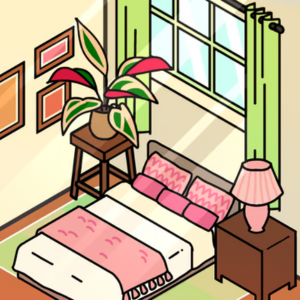
Some days you just want to sink into a beanbag chair, sip something warm, and make a tiny digital space look gorgeous. That's exactly the vibe Cozy Room Design delivers. This girls-category favorite drops you into a blank room and hands you the keys to a full makeover — no budget stress, no landlord rules, just pure decorating freedom. It's the kind of game that pulls you in for "just five minutes" and suddenly an hour has vanished because every furniture swap and color tweak feels so satisfying.
Part of why it blows up on unblocked games sites is simple: it loads fast, runs on basically any device, and scratches that creative itch without demanding reflexes or a steep learning curve. Whether you're sneaking in a quick session at school or winding down at home, it's a chill escape that always leaves you with something pretty to look at.
Your goal is straightforward: transform an empty room into a dreamy, cohesive space. You'll pick wall colors, lay down flooring, then drag in furniture, plants, rugs, lamps, and decor until the whole thing clicks together. There's no timer forcing your hand, so you can experiment endlessly.
On desktop, you'll mostly click and drag items into place, with a simple toolbar for rotating, resizing, or deleting pieces. On mobile or tablet, everything works with taps and swipes — tap to select, drag to move, pinch or use the on-screen buttons to adjust. The interface stays out of your way, which means you spend your time decorating instead of fighting menus.
Want your rooms to look like they belong on a design blog? Try these:
Yes — it's completely free on browser gaming platforms. You can jump in through unblock games portals without paying a cent or creating an account.
Absolutely. The controls are touch-friendly, so it works great on phones and tablets as well as desktops. Just open it in your mobile browser and start decorating.
Nope. It runs directly in your browser, which is why it's such a popular pick on g+ unblocked games sites — no installs, no waiting, just instant cozy fun.