BUG REPORT
Draw Pixel Art
Players who enjoyed Draw Pixel Art also loved these








Hot titles being played across the platform
 HOT
 HOT
 HOT
 HOT
 HOT
 HOT
 HOT
 HOT
 HOT
 HOT
 HOT
 HOT
 HOT
 HOT
 HOT
 HOT
 HOT
 HOT
 HOT
 HOT
Pick another awesome game and continue playing














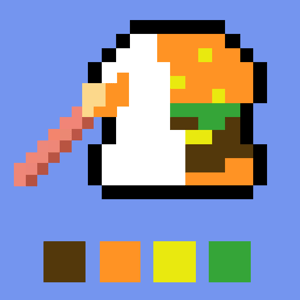
Remember those lazy afternoons filling in coloring books? Now imagine that same chill vibe, but with a retro pixel twist and a satisfying click that makes every square feel earned. Draw Pixel Art is the kind of arcade time-killer that sneaks up on you — you sit down for "just one picture" and suddenly an hour has vanished. The premise is simple: you're given a pixelated grid and a color-by-number style blueprint, and your job is to tap, drag, and fill until the hidden image reveals itself. It's part puzzle, part zen garden, and it's exactly the sort of pick-up-and-play title that made unblocked games wtf a go-to destination for quick browser breaks.
What makes it so addictive? Every completed artwork gives you that little dopamine hit of a finished masterpiece, and the difficulty curve keeps you hooked without ever feeling punishing. Whether you're a pixel-art veteran or just killing time between classes, this one delivers.
The objective is straightforward: fill every blank pixel with the correct color to complete the picture. Each grid comes with a reference guide showing which number or shade corresponds to each square. Match them all, and the image snaps into glorious pixelated life.
On desktop, you'll use your mouse to click individual pixels or click-and-drag to paint multiple squares in one sweep. Most versions include a color palette on the side — just select your shade, then go to town. On mobile, it's all touch-based: tap to fill a single pixel, or swipe your finger across the grid for rapid-fire coloring. Pinch to zoom if the grid gets dense, and use the undo button (usually top corner) when your finger slips.
Some levels add a timer or a move limit for extra spice, while relaxed modes let you take your sweet time. No pressure either way.
1. Work in color blocks, not rows. Instead of filling line by line, pick one color and knock out every square that uses it. This cuts down on palette-switching and keeps your rhythm smooth.
2. Zoom in on dense grids. When the pixels get tiny, zooming prevents misclicks that can wreck a nearly-finished picture. Accuracy beats speed every time.
3. Scan for edge pixels first. Outlines and borders are usually the easiest to identify. Lock those in early and the interior fills itself almost logically.
Bonus tip: if you're chasing a high score on timed levels, memorize the palette layout so you never fumble for the right shade mid-run.
Yes — it's a free browser game. You can jump straight in without paying a cent, which is why it fits perfectly alongside unblocked games premium and other no-cost arcade picks.
Absolutely. It runs directly in your browser, so as long as you've got access to games unblocked sites, you're good to go. No downloads required.
Yep. The touch controls are just as smooth as the desktop version, making it a solid choice for games unblocked cool math fans who game on the go.