BUG REPORT
Minecraft Builder
Players who enjoyed Minecraft Builder also loved these












Hot titles being played across the platform
 HOT
 HOT
 HOT
 HOT
 HOT
 HOT
 HOT
 HOT
 HOT
 HOT
 HOT
 HOT
 HOT
 HOT
 HOT
 HOT
 HOT
 HOT
 HOT
 HOT
Pick another awesome game and continue playing




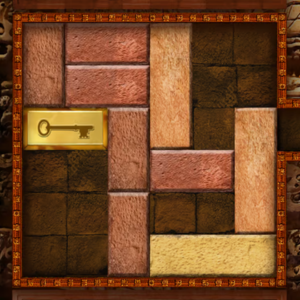




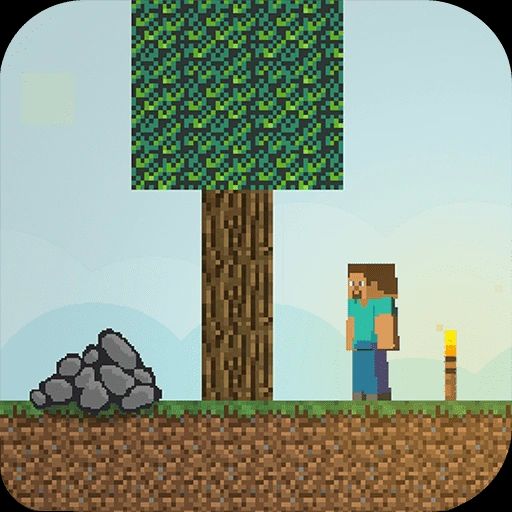






Ever wanted to build a sprawling castle or a secret underground base but only had five minutes of free time between classes? Minecraft Builder scratches that creative itch without the grind. This brain-teaser twist on the sandbox classic challenges you to place blocks with precision, solve spatial puzzles, and complete structures before the clock runs out. It's the kind of game that hooks you instantly — one minute you're laying down a simple wall, the next you're obsessing over the perfect symmetry of a pixel-art creeper. That "just one more level" pull is exactly why it's become a staple on unblocked games 67 and similar portals. No downloads, no waiting, just pure block-stacking satisfaction.
The objective is simple to grasp but tricky to master: replicate the target structure shown on screen by placing blocks in the correct grid positions. Each level gives you a blueprint, a limited supply of blocks, and a timer. Some stages ask you to fill gaps, others require you to match a pattern exactly, and later puzzles throw in moving platforms or disappearing tiles to keep your brain on its toes.
Desktop controls: Use your mouse to select a block from the inventory, then click on the grid to place it. Right-click removes a misplaced block. Arrow keys or WASD pan the camera around larger builds.
Mobile controls: Tap a block to pick it up, then tap the target square to drop it. A long-press deletes blocks. The touch interface is surprisingly smooth, which makes it a solid pick for unblocked games for school on a Chromebook or tablet.
1. Scan the blueprint before you touch a single block. Count the rows and columns, and note any symmetry. Planning for three seconds saves you ten seconds of fixing mistakes.
2. Work from the corners inward. Anchoring your build at the edges gives you reference points, so the middle basically fills itself in. This trick alone shaves serious time off complex levels.
3. Don't hoard your blocks — but don't waste them either. Running out mid-build means a restart. If a level gives you exactly the number of blocks you need, double-check every placement before moving on.
Yes, it's completely free and runs right in your browser. You don't need to download anything or create an account, which is why it's a favorite on unblock games sites.
Absolutely. It's lightweight, loads fast, and works on most school devices as long as the site itself isn't blocked. That's the whole appeal of unblocked games for school — quick access during a study break.
Yes, the touch controls are well-optimized. It plays great on phones and tablets, though the bigger screen on a laptop makes spotting patterns a bit easier.