BUG REPORT
Perfect Peel
Players who enjoyed Perfect Peel also loved these













Hot titles being played across the platform
 HOT
 HOT
 HOT
 HOT
 HOT
 HOT
 HOT
 HOT
 HOT
 HOT
 HOT
 HOT
 HOT
 HOT
 HOT
 HOT
 HOT
 HOT
 HOT
 HOT
Pick another awesome game and continue playing








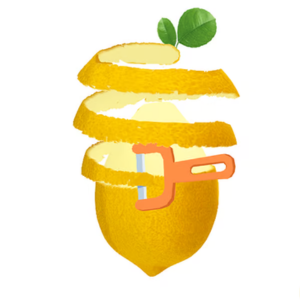
Ever peeled a sticker off a window and felt that oddly satisfying rush when it comes off in one clean strip? Perfect Peel turns that tiny real-life thrill into a full-blown brain teaser. The premise is dead simple: you're handed a surface covered in layered shapes, tape, or stubborn decals, and your job is to peel each one away in the right order without tearing anything or triggering a fail state. Sounds easy — until the layers start overlapping and one wrong pull ruins the whole run.
It's a hit on games unblocked platforms because it nails that "just one more try" loop. Levels are short, the difficulty curve is sneaky, and the satisfaction of a flawless peel keeps you coming back. Whether you're killing five minutes between classes or grinding for a perfect streak, Perfect Peel rewards patience and pattern recognition over twitch reflexes.
Your objective is straightforward: remove every layer from the board in the correct sequence. Each shape has edges, corners, and sometimes hidden tabs that hint at where to start. Grab the wrong corner and the layer rips, costing you a life or resetting the level.
On desktop, you'll typically use your mouse to click and drag the peel point across the surface. Some versions map the action to a single click-and-hold, where you guide the peel direction with cursor movement. On mobile or tablet, it's a simple tap-and-swipe — press the edge and drag in the direction the layer wants to go.
Watch the on-screen indicators. Arrows, glowing edges, or subtle color shifts tell you which layer is "active." Clear the top layer first, and the ones beneath become fair game. Finish a level cleanly and you bank a perfect score; mess up and you'll be replaying faster than you can say "sticky situation."
1. Start at the corner, not the middle. Layers almost always peel cleanest from a sharp corner or a visible tab. Middle pulls tear instantly. Scan the shape before you touch it.
2. Follow the grain. Many levels have a subtle texture or gradient that shows the "grain" direction. Peel with it, not against it, and you'll glide through without rips.
3. Slow is smooth, smooth is fast. Rushing causes over-drags that snap the layer. Move deliberately, release at the edge, and let the game register the clean peel before grabbing the next one.
Yes. It's a browser-based brain game, so you can jump in for free on most unblocked games g+ sites without paying a cent.
Absolutely — that's half its appeal. It loads fast and runs on unblocked games for school portals, so it slips past most network filters as long as the site itself isn't blocked.
Yep. Controls switch to tap-and-swipe automatically, and the puzzles scale to fit smaller screens without losing any of the challenge.